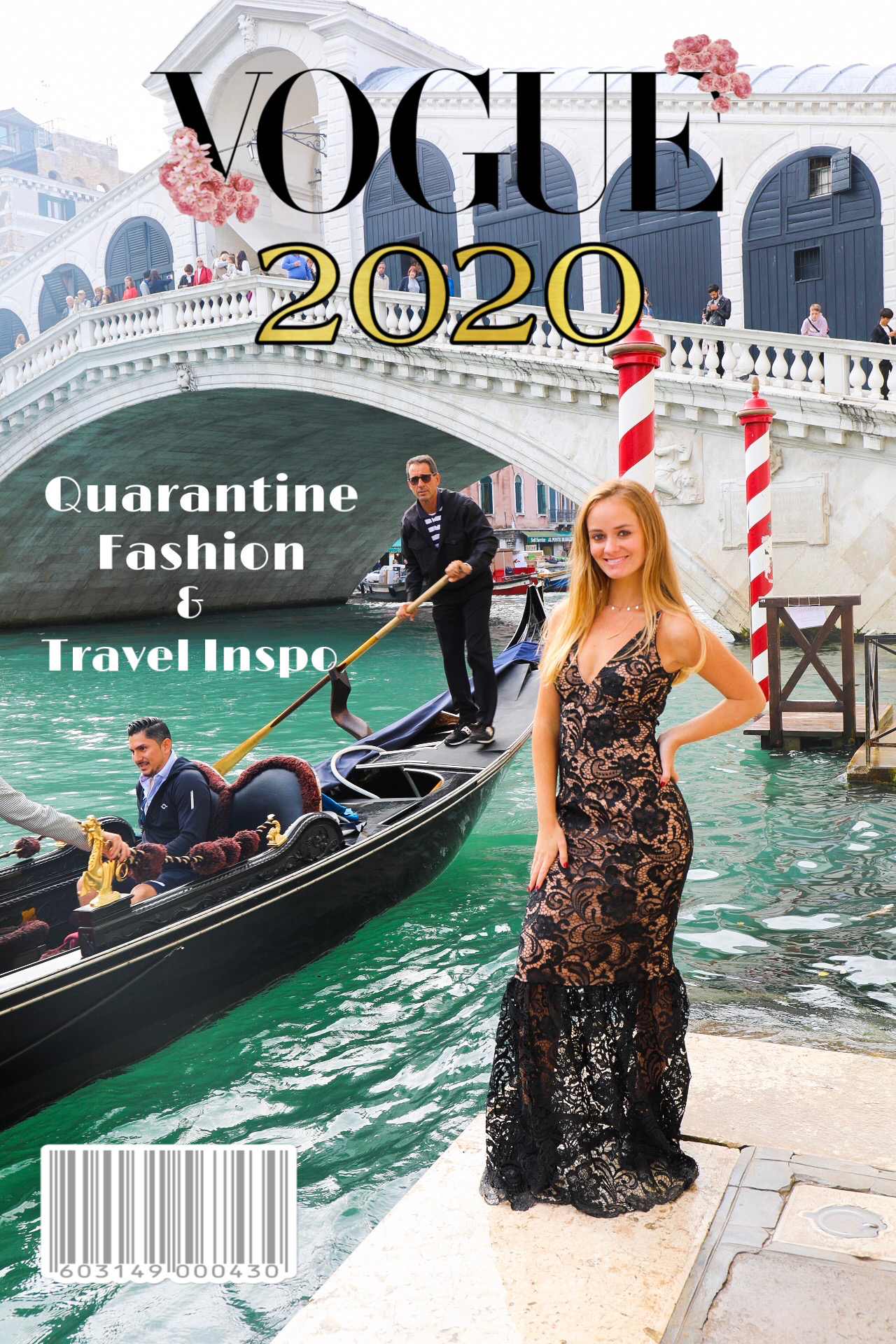
Curious how to make the Vogue Magazine cover for Instagram? The Vogue Challenge is just one of the many creative edits influencers have been doing while stuck at home in 2020! You can put any of your images on the face of Vogue – talk about a bucket list item! While you can do a great job of this in Photoshop, there are some quick and easy shortcuts for those without the Adobe suite!
How to Make Vogue Magazine Cover for Instagram

Creating your Vogue Magazine cover is simple:
Step 1 – Choose your most chic Vogue-esque image. Alternatively, choose your least chic image for the funny factor. I’ve seen people do this with their pets in weird sleeping situations and honestly that’s just as good if not better if you have it!
Step 2 – Download & open the Picsart App
Step 3 – Upload your image to the app

P.S. Remember this shot from my Tulum trip a while back?
Step 4 – Resize your image for Instagram using the Tools icon at the bottom, then click on Crop. Scroll at the bottom and click on the option for Square, Portrait, or Story with the Instagram logo in them.
Step 5 – Click on Stickers at the bottom of the screen, then search for “Vogue.” You’ll see ready-made full cover Vogue templates, but there’s not too many to choose from there. You’ll also see a stand-alone sticker with just the Vogue title. I like to use just the title, so I can add my own spin on it with my own text and voice. If you do this, you can also search in Stickers for “barcode” to give it a more realistic magazine feel.
Et Voila! Now you know how to make the Vogue Magazine cover for Instagram. Check out the #voguechallenge for more cover inspo and be sure to tag me @chowdownusa in your posts – I can’t wait to see what you make!
Have you done any social media challenges while in quarantine this year? Do you find yourself getting more creative or enjoying others creativity?
Did you find this post helpful? Sign up for email updates below!
Pin this post!
